

API resources
API Reference
Use the Send Magic Link API to start a magic link login flow.
Frontend SDKs
Use Stytch’s Frontend SDKs to start a magic link login flow.
Stytch UI
Use Stytch’s pre-built UI components to seamlessly add email magic links to your login flow.
Embeddable Magic Links
Use the Embeddable Magic Link API to start a magic link login flow by generating a magic link.
How it works
Email magic links are a secure, seamless, passwordless authentication option. When a user logs in via Stytch’s Email Magic Link (EML) product, Stytch generates a unique, one-time-use token embedded in a URL and sends it to the user’s email address. The user authenticates their identity by successfully receiving and clicking on this link before the link expires, at which point Stytch will verify the token and issue a Session for the .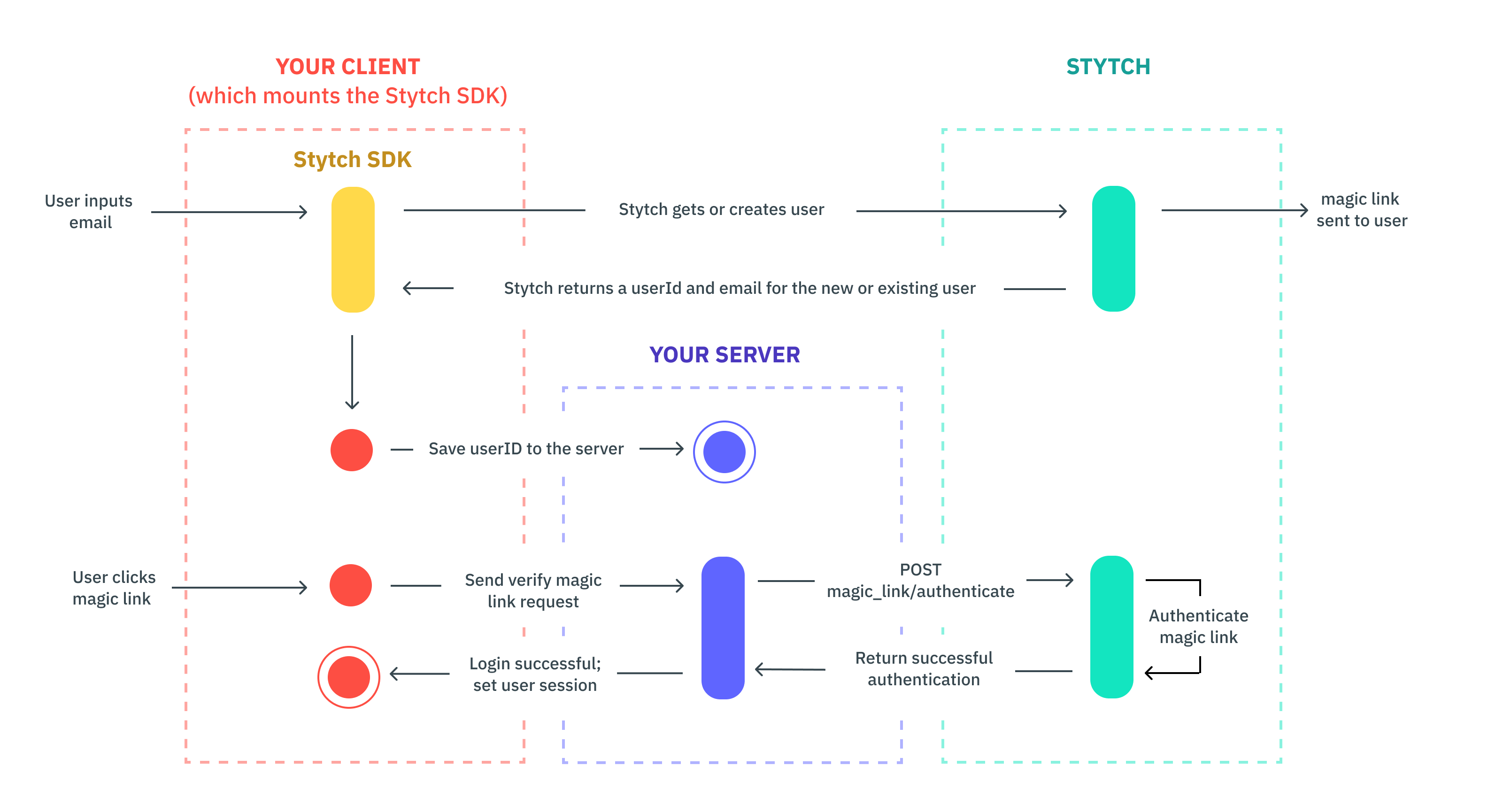
Magic links require redirect URLs to be configured in your Dashboard.
Email template customization
Email templates control the subject line and body of the email a User receives. For Magic Link endpoints that send emails, there are three possible email templates a User can receive: login, signup or invite. Which email template a User receives is based on a combination of the User’s state (e.g.active, pending) in the Stytch backend and whether the magic link is initiated via the send, login-or-create, or invite method.
Styling customizations like color and font are available by default, while full HTML customization is available to customers paying for our branding add-on. Learn more about customizing email templates here.