

Summary of Key Differences
For a quick overview of the differences between Google OAuth and Google One Tap, see the table below:Adding One Tap to your Google OAuth integration
You’ll first need to configure Google OAuth in the Stytch Dashboard, by following the steps here. Ensure you add your application’s URI as an Authorized Javascript Origin in your Google OAuth credential. For example, if you plan on showing One Tap athttps://example.com/login, enter https://example.com. If you’re using localhost for testing, we recommend adding both http://localhost and http://locahost:[port].
Headless frontend integration
If you don’t already have Google OAuth set up in the headless SDK, follow the steps here.- Discovery sign-up or login
- Organization login
To use Google One Tap for the flow, call the
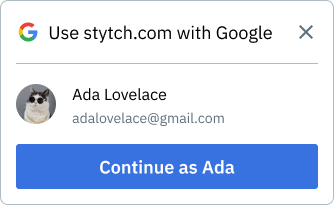
oauth.googleOneTap.discovery.start() method to display the Google One Tap prompt in the upper right of the user’s browser tab.The user is redirected to the Discovery Redirect URL you configured in the Stytch Dashboard after a successful One Tap selection.The examples below show how to display One Tap in response to a user action (button click). You can also show it on page load.Pre-built UI frontend integration
You’ll first need to have Google OAuth set up in the pre-built UI components, following the steps here. To enable One Tap, includeone_tap in your providers list in the OAuth UI configuration.
If the only product is oauth and the only provider is google with one_tap: true, the login form is not displayed and only the One Tap prompt will appear in the upper right of the user’s browser.
Google One Tap is not supported on all browsers and may be blocked by certain extensions. If Google OAuth is your only login method, we recommend using One Tap in targeted locations rather than on your primary login page.