

Option 1: Zero-downtime sessions deployment
We offer a Zero-Downtime Sessions feature which enables developers to mint Stytch Sessions from an external session (such as an Auth0 JWT). This solution is designed to facilitate a smooth zero-downtime cutover between Stytch and an external provider, by ensuring your end users stay logged into your application throughout the entire migration process. For this guide, we will use Auth0 as an example.1
Add OIDC-compliant UserInfo endpoint URL to dashboard
To enable this feature for your account, go to your Dashboard’s Migrations. Enter your external provider’s OIDC-compliant UserInfo endpoint in the form.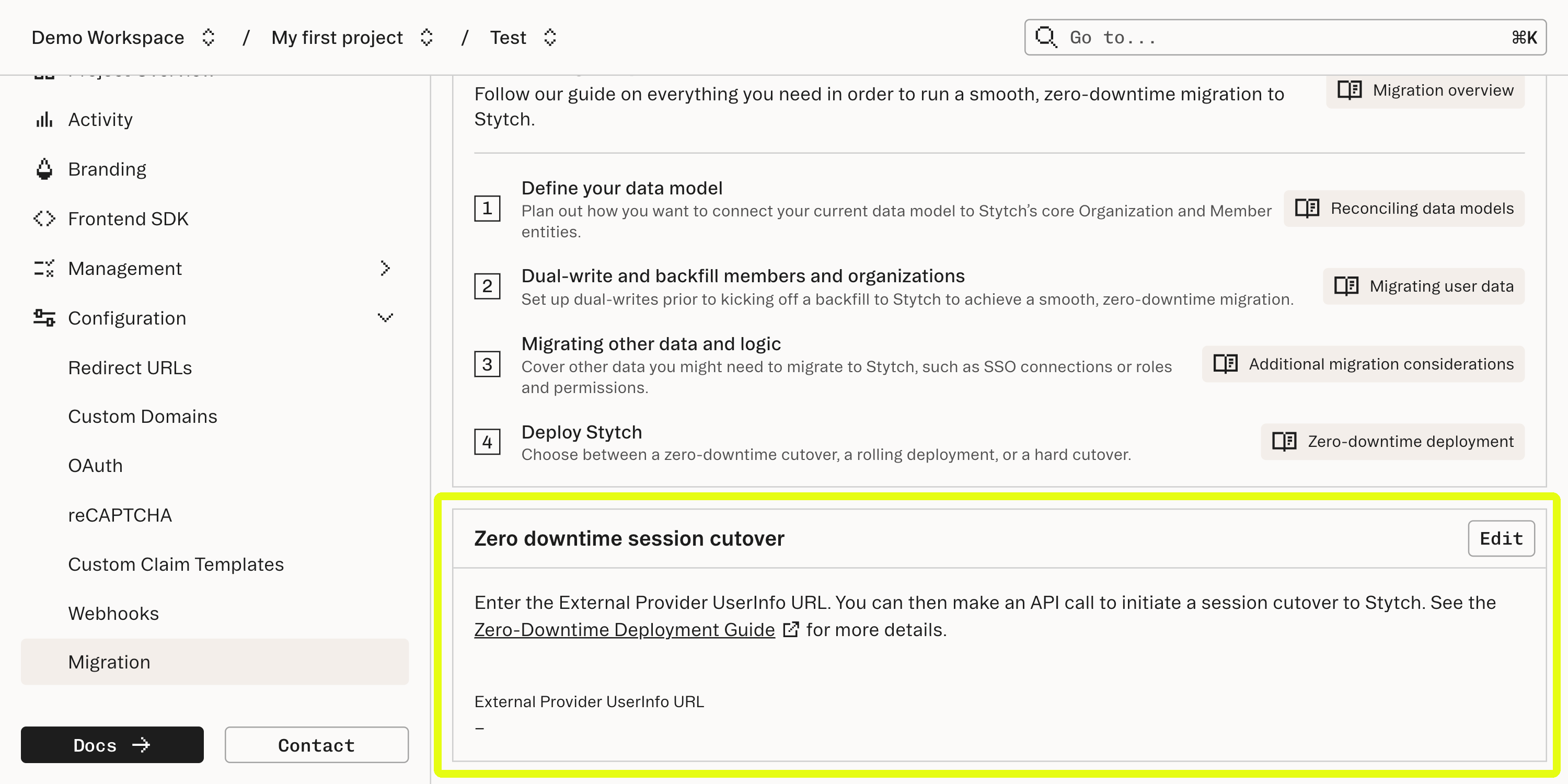
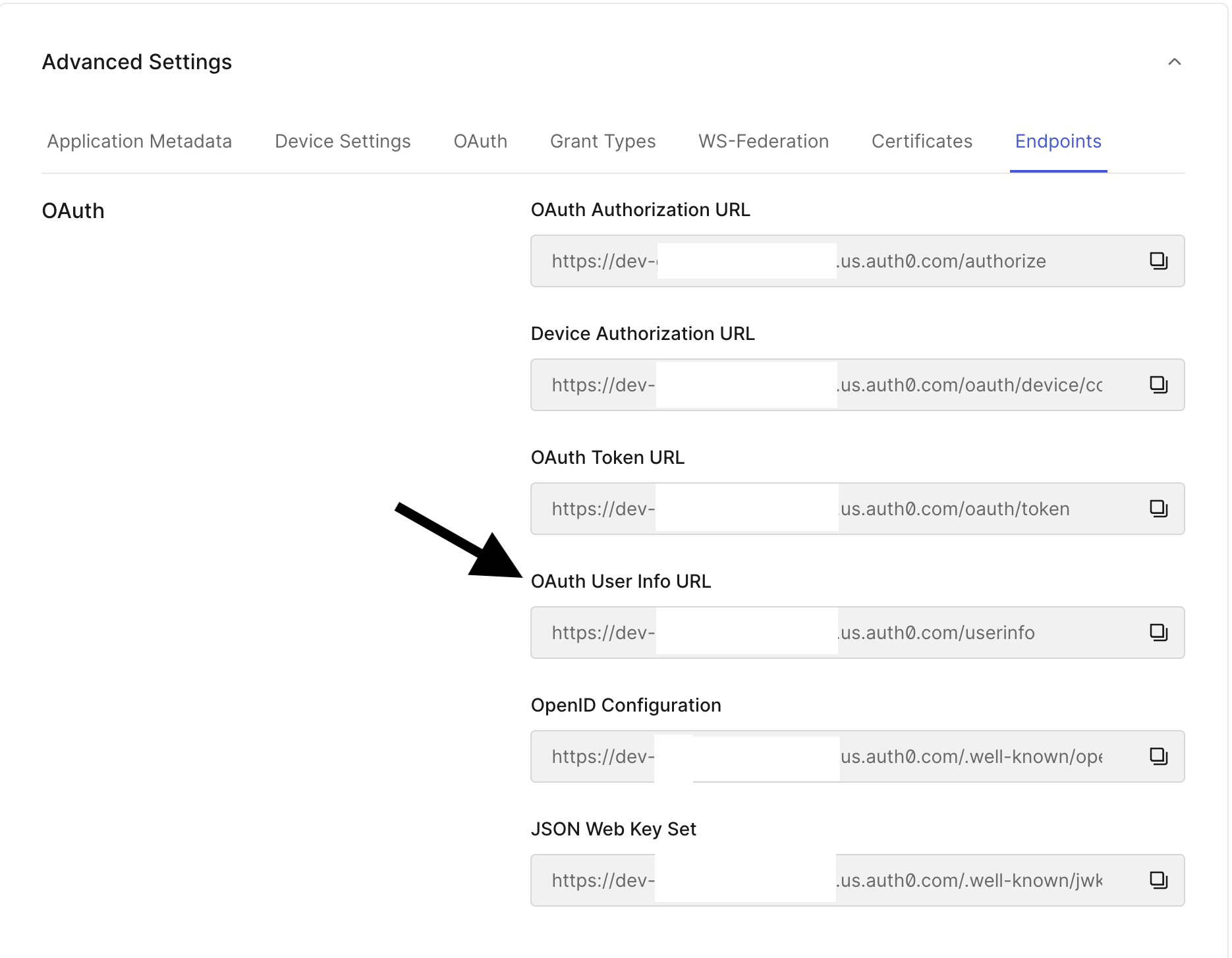
2
Acquire the access token from the legacy auth provider
Grab your access token from your legacy provider. For example, with Auth0, you can use the Authorization Code Flow to grab the
access_token (for example, with Auth0, this starts with eyJ).3
Call the Migrate Sessions endpoint with the access token
- Consumer auth
- B2B auth
After you have migrated a user to Stytch, call the Migrate Session API with your external provider’s access token / session token. Stytch will respond with a session you can associate with this user.You should receive a response with a User object as well as a User session object usable with Stytch.
Option 2: All-at-once deployment
An all-at-once deployment adheres to the following sequence:- Deploy your Stytch auth implementation to production and to all users at once.
- Upon deployment, your users will require Stytch Sessions in your middleware / server-side logic. As a result, all users will be logged out and need to log back in.
- Users log back in with the Stytch auth flow when they revisit your app.
Option 3: Rolling deployment
- Consumer auth
- B2B auth
A rolling deployment roughly adheres to the following sequence:
- Deploy auth changes to a portion of your users at a time using a feature flag (IP, geography, other measures such as a cookie).
- Users under the feature flag will see Stytch powered login flow and will need a Stytch Session to be considered logged in.
- Users that are not feature flagged into Stytch will continue to see your legacy auth flow. These users will not be logged out and can continue using their existing legacy sessions.
- In your middleware / server-side logic, you will need to determine if each JWT is from Stytch or your legacy flow.
- You will also need to maintain two middleware routes to authenticate the session: one for Stytch’s auth flow and another for your legacy auth flow.
- A feature flag within your authentication flow that bifurcates your user base between Stytch and your legacy authentication at a controllable percentage.
- If desired, you can set a cookie (or similar) on each user’s device that tracks which authentication flow to present. You may also use factors such as IP or geography if you have access to that information.
- For new users that go through your sign up flow via Stytch, you will need to create a record in your legacy flow to handle the edge case where this user returns logged out on a different device and is presented with the legacy authentication UI.