- Consumer auth
- B2B auth
If your users have passwords, Stytch recommends the static migration approach by creating jobs to synchronize data to Stytch. If your users are passwordless, you can use a static migration or follow the dynamic (rolling) migration approach.Your script should submit requests to Stytch at a maximum rate of 65 r/s.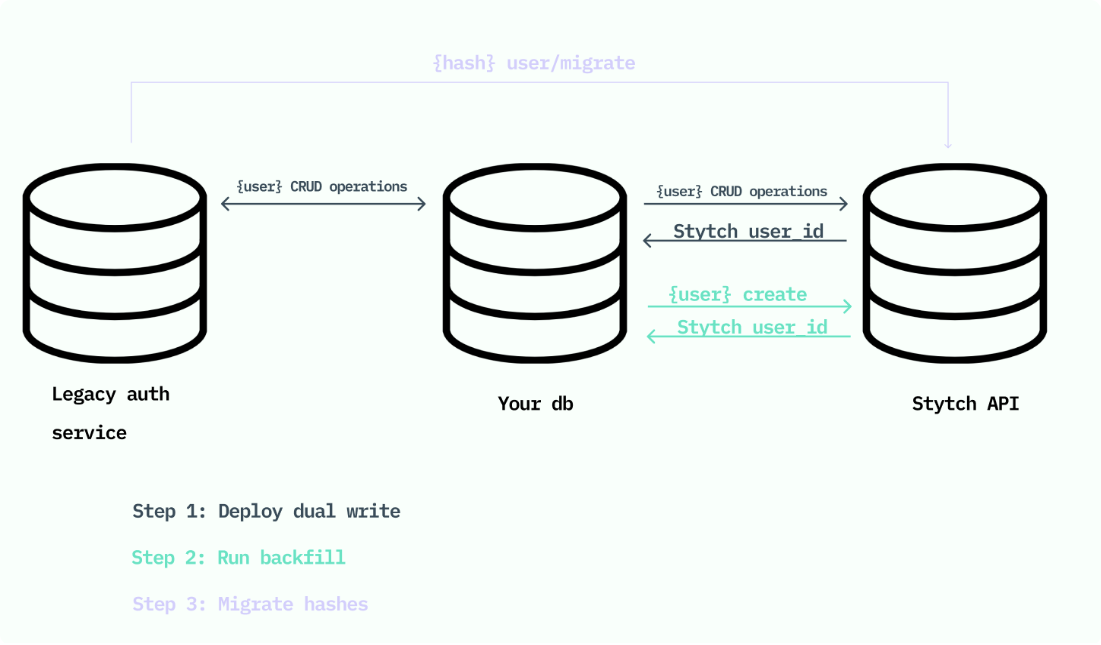
Static migration (recommended for passwords)
If you have over 1M users, skip to Dual write and backfill below.Export and import
First, export your user data. Helpful resources for exporting:- Auth0: Create a support request.
- Firebase: Use the CLI. Note that Firebase password hashes are not currently compatible with Stytch, and a static migration of users with passwords from Firebase to Stytch is not possible.
- AWS Cognito: Use the ListUsers API. AWS Cognito does not support exporting password hashes through this API.
1
Parse the data (likely a flat file).
2
Iterate over each row of user data.
3
Pass the user's email, phone and/or password hash to the corresponding endpoints:
- Passwordless users: Create User
- Users with passwords: Migrate Password
- Users with email + phone + password: create the user first, then migrate the password hash
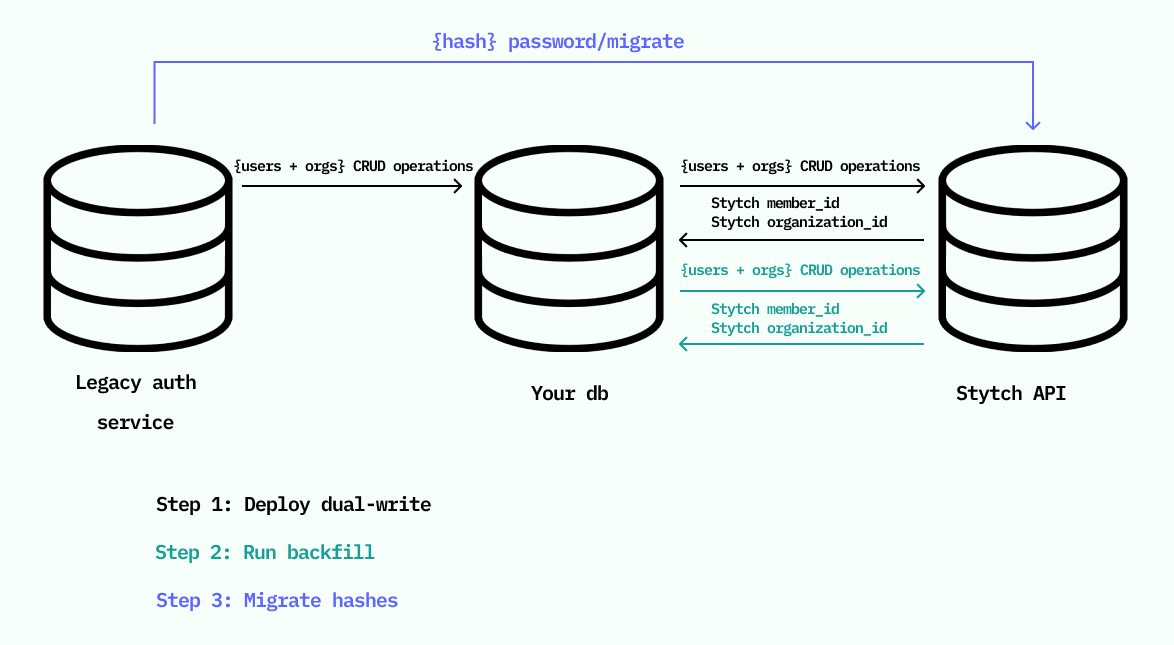
Dual write and backfill (for large user bases)
Dual write and backfill keeps Stytch in sync with your existing provider while you migrate.1
Set up dual write
Sync all user changes into Stytch (create, update, delete) and save the returned
user_id in your DB.2
Backfill remaining users
Create any users without a Stytch
user_id via Create User, one at a time, capped at 65 r/s.3
Migrate password hashes
After backfill, call Migrate Password for existing Stytch users.
Dynamic (rolling) migration (recommended for passwordless)
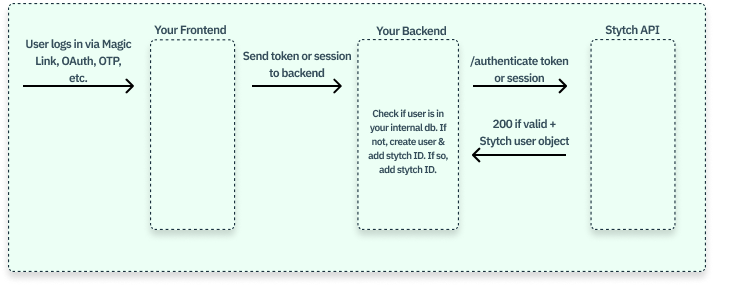
If your users do not have passwords, you can migrate users as they log in:- As each user logs in, call the Stytch API to authenticate and create a Session.
- Look up the user in your internal database.
-
If the user exists, store the Stytch
user_idon the record. -
If the user does not exist, create a new user record and store the Stytch
user_id.