

Authorization Code Flow
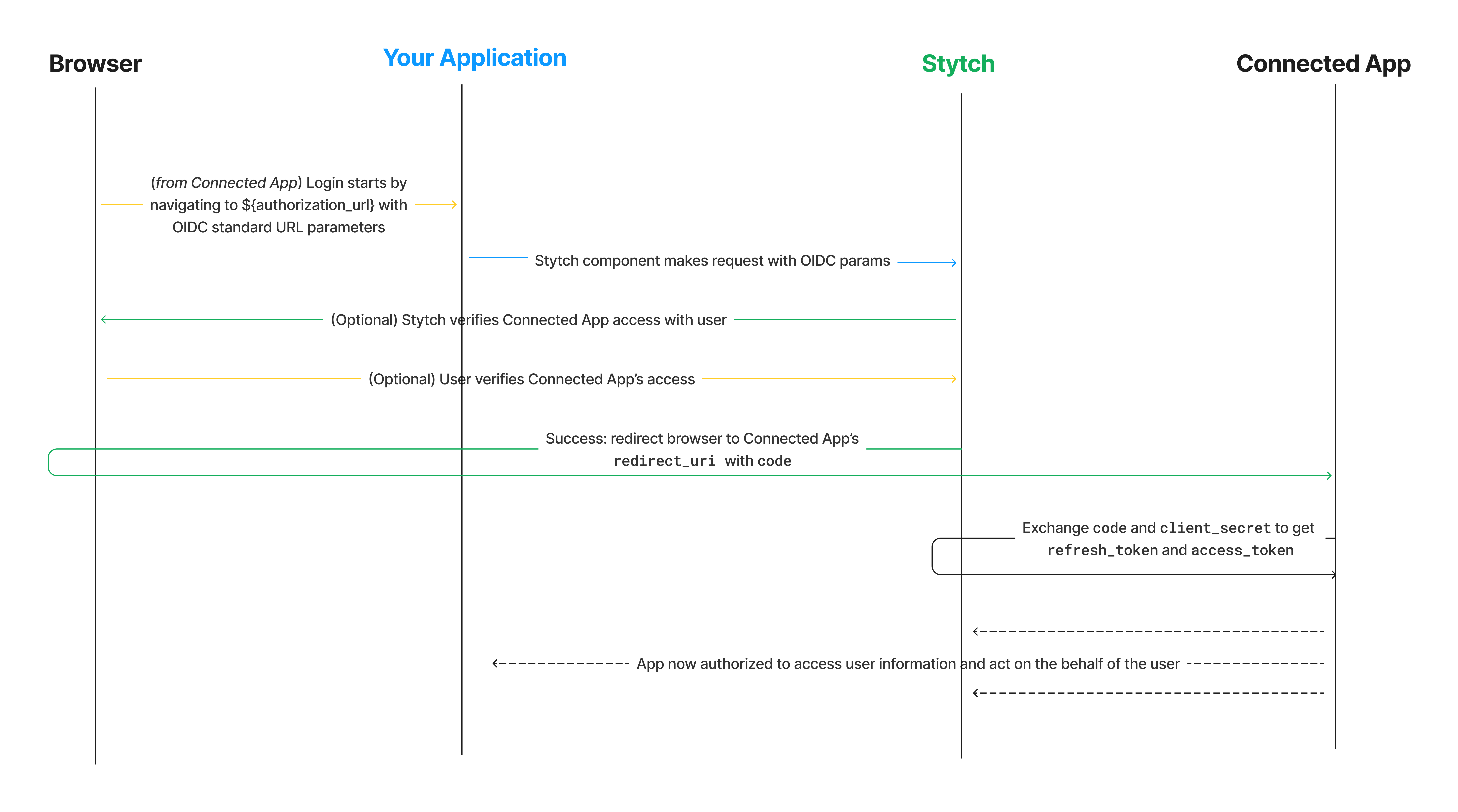
- A user using the Connected App wishes to authenticate this app with your Stytch-powered Authorization Server in order to access user information (what we’re implementing here). They click a button or follow a link to an Authorization URL (configured below) owned by your Stytch app.
-
The Stytch API is called. When using the Stytch frontend SDK, to begin the login flow, the Connected App will redirect the user’s browser to an Authorization URL in your Stytch-powered application. This page will host a mounted Stytch component that will catch the URL parameters provided to the Authorization URL page and proceed with the login flow. After the initial step succeeds, Stytch will respond with a redirect to send the user’s browser to the Connected App’s
redirect_uriwith acodefor the Connected App to complete the flow on its backend. The redirect to this page should include these URL parameters as defined in the OIDC specification:
- The user may be prompted to verify that the Connected App has permission to access their data (depending on whether the Connected App is “First Party” or “Third Party). For more information, see our documentation about Client Types.
- Upon success, the Stytch API returns both a
redirect_uri, owned by the Connected App, and acodeparameter. When using the frontend SDK, Stytch redirects the browser to the configuredredirect_uriowned by the Connected App with a code parameter. - The Connected App uses this code parameter, along with its
client_idandclient_secret, to request anaccess_token(and optionally anid_tokenorrefresh_token) from Stytch.
access_token to access user data.
What’s next
- Learn more about Client Types
- Learn more about OAuth Scopes
- Configure a Connected App with the SDK or API.
- Follow this guide if you are configuring a public app