

Overview
When Stytch returns aCHALLENGE verdict, that indicates unusual configuration that is often associated with attacks, but also has legitimate use cases. For example:
For example, if the request has characteristics of running in a virtual machine (VM), we may return a CHALLENGE verdict. Sometimes, VMs are used in automated attacks, but they are also used for legitimate applications like enterprise browsers. As a result, how you want to handle the request depends on your risk profile and the reason for the CHALLENGE.
Common strategies for handling CHALLENGE verdicts are:
- Requiring some additional user input (like requiring MFA or surfacing a CAPTCHA) before allowing the request to proceed.
- For sensitive applications, blocking all requests that receive
CHALLENGEverdicts. - Or, allowing all requests that receive
CHALLENGEverdicts to proceed.
Challenge verdicts in the API
When you receive aCHALLENGE verdict in the Fingerprint Lookup response, we generally recommend introducing some additional verification (such as a CAPTCHA, MFA, or other step that requires user input) to ensure that the user is legitimate before allowing them to proceed.
We return a verdict.reasons array in the Fingerprint Lookup response that will indicate the reason for the CHALLENGE verdict. For example, the following response indicates that the request received a CHALLENGE verdict because it may have resulted from automatic browser traffic:
CHALLENGE verdict. You may also choose to assign different risk scores to different verdict reasons.
See Reference guides for a full list of verdict reasons.
Challenge verdicts in Protected Auth
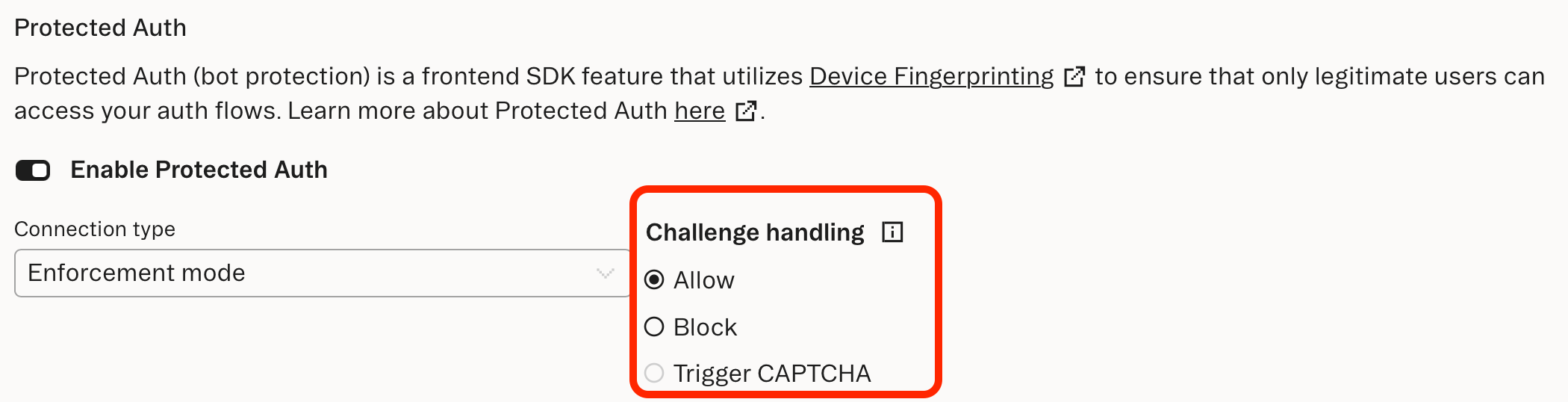
When Protected Auth is enabled in Enforcement mode, the Stytch SDK will allow requests that hitCHALLENGE verdicts to proceed by default.
For increased strictness, you can configure the behavior under Frontend SDK settings to either block requests that result in a CHALLENGE verdictor to trigger a CAPTCHA:
Run reCAPTCHA on a CHALLENGE verdict
Stytch offers a JavaScript SDK integration with Google’s Invisible reCAPTCHA that runs before each SDK method call. Invisible reCAPTCHA is a type of CAPTCHA that evaluates traffic without requiring any interaction from the user. If reCAPTCHA is configured and a user calls a Stytch SDK method, the SDK retrieves a CAPTCHA token that is sent along with the SDK request. The Stytch backend calls the Google API on your behalf and returns an error if the reCAPTCHA doesn’t meet the threshold that you set. When Challenge handling is set to Trigger CAPTCHA and aCHALLENGE verdict is returned, the SDK will trigger the CAPTCHA flow in order to add another layer of protection from malicious requests.
Allow or block a device or device group
If you’d like to allow or block a device or group of devices that’s receiving anCHALLENGE verdict, you can set a rule.
Override verdict reasons
You can override verdict reasons if you do expect traffic with the warning flags that default toCHALLENGE, but would like to allow or block them.