In this guide we’ll walk through how to use Stytch Device Fingerprinting to block all traffic from certain countries. You may want to block entire countries for regulatory reasons. For example, in the United States, regulatory sanctions ban business with countries like Cuba, Iran, North Korea, and Syria. You also may want to block countries where you have no business presence or see overwhelmingly abusive behavior. You will:
  • Decide on the list of countries you would like to block
  • Run a shell script to create one Rule for each country to block

Decide on the list of countries to block

First, decide which countries you want to block. You will need the ISO-3166-1 alpha-2 country codes, like US for United States, to set a country-based Device Fingerprinting Rule.

Run a shell script to create one Rule for each country

The following shell function enables you to block a single country using the Set Rule API.
You can also create Rules with the Stytch Dashboard. Or, use the Stytch SDK to call the Set Rule API.
# Usage: stytch_block_country US "Block US traffic since we do not serve US customers"
# Requires the following environment variables:
#   - STYTCH_PROJECT_ID
#   - STYTCH_SECRET
stytch_block_country() {
  local cc="$1"
  local desc="$2"

  if [[ -z "$STYTCH_PROJECT_ID" || -z "$STYTCH_SECRET" ]]; then
    echo "Error: please export STYTCH_PROJECT_ID and STYTCH_SECRET" >&2
    return 1
  fi

  if [[ -z "$cc" || ! "$cc" =~ ^[A-Za-z]{2}$ ]]; then
    echo "Usage: stytch_block_country <ISO-3166-1 alpha-2 code> <description>" >&2
    return 1
  fi

  if [[ -z "$desc" ]]; then
    echo "Error: description required" >&2
    return 1
  fi

  echo "Blocking country: $cc$desc"

  curl -sS -X POST "https://telemetry.stytch.com/v1/rules/set" \
    -u "${STYTCH_PROJECT_ID}:${STYTCH_SECRET}" \
    -H "Content-Type: application/json" \
    -d "$(printf '{"action":"BLOCK","country_code":"%s","description":"%s"}' "$cc" "$desc")"
}
Then, you can call this function for each country you would like to block:
# Example list of US sanctioned countries: Cuba, Iran, North Korea, and Syria
SANCTIONED_COUNTRIES=(CU IR KP SY)

# Loop through and block each one
for cc in "${SANCTIONED_COUNTRIES[@]}"; do
  stytch_block_country "$cc" "Block sanctioned country"
done
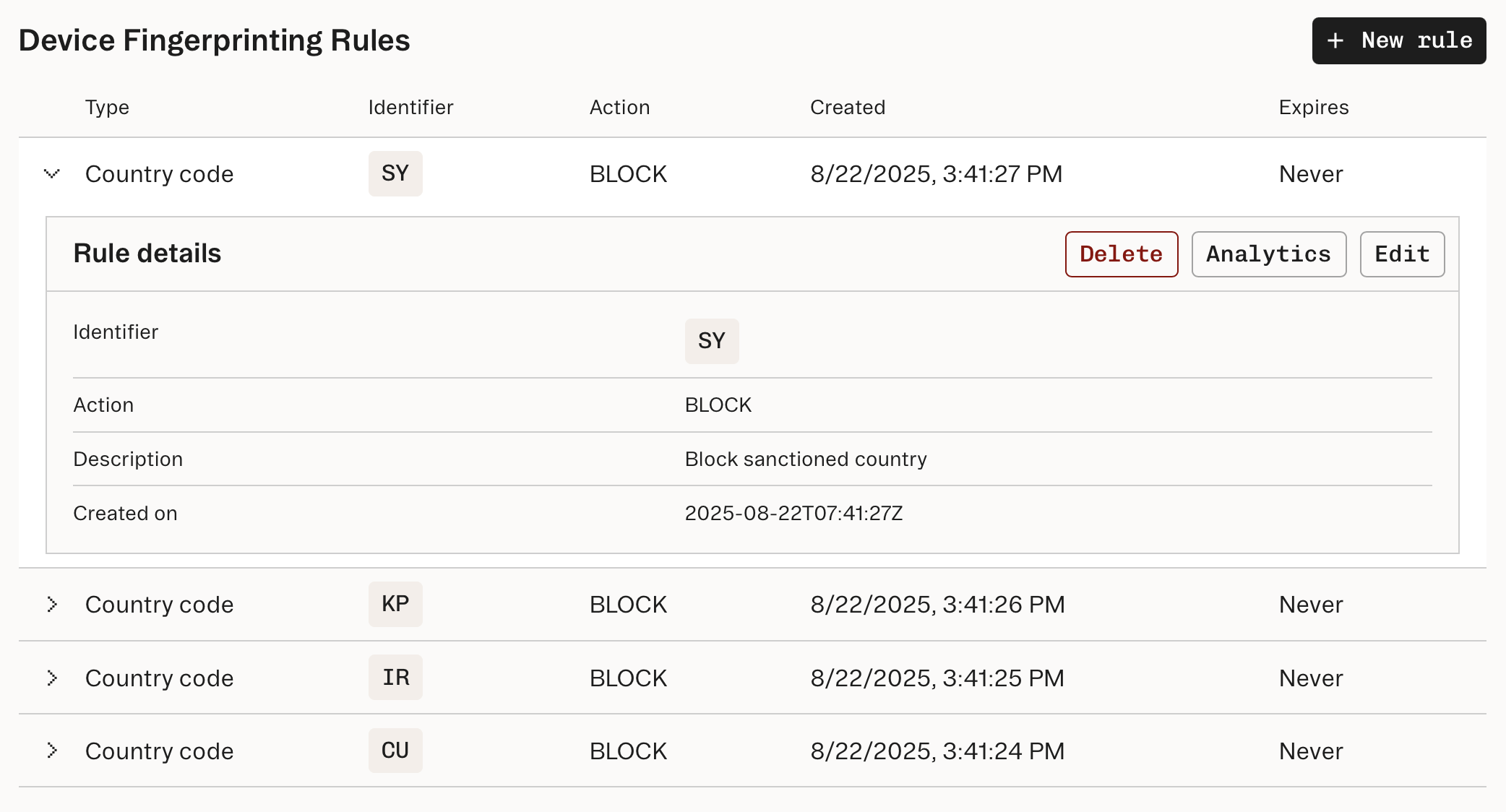
After creating the Rules, you can view them in the Dashboard.
Dashboard showing multiple country-based rules
Now, any traffic originating from these countries (based on IP address) will receive a BLOCK verdict. If you are using Protected Auth with Stytch authentication, Stytch will automatically reject attempts to sign up or login from these countries. If you are using Device Fingerprinting standalone, you should block the action in your backend code when you see a BLOCK verdict.

What’s next?

If you are using Stytch for authentication and use SMS or WhatsApp one-time passcodes (OTPs), you can set country code allowlists to prevent toll fraud to phone numbers in certain countries. In Device Fingerprinting, you can also set Rules based on other characteristics, such as visitor_id or network_fingerprint. See Set decisioning rules for more information.